Convert

Image Tool

Resize, compress, and convert between PNG, JPG, and WebP — all in the browser.

LiveUpdated 26 Jul 2026
Open Image Tool
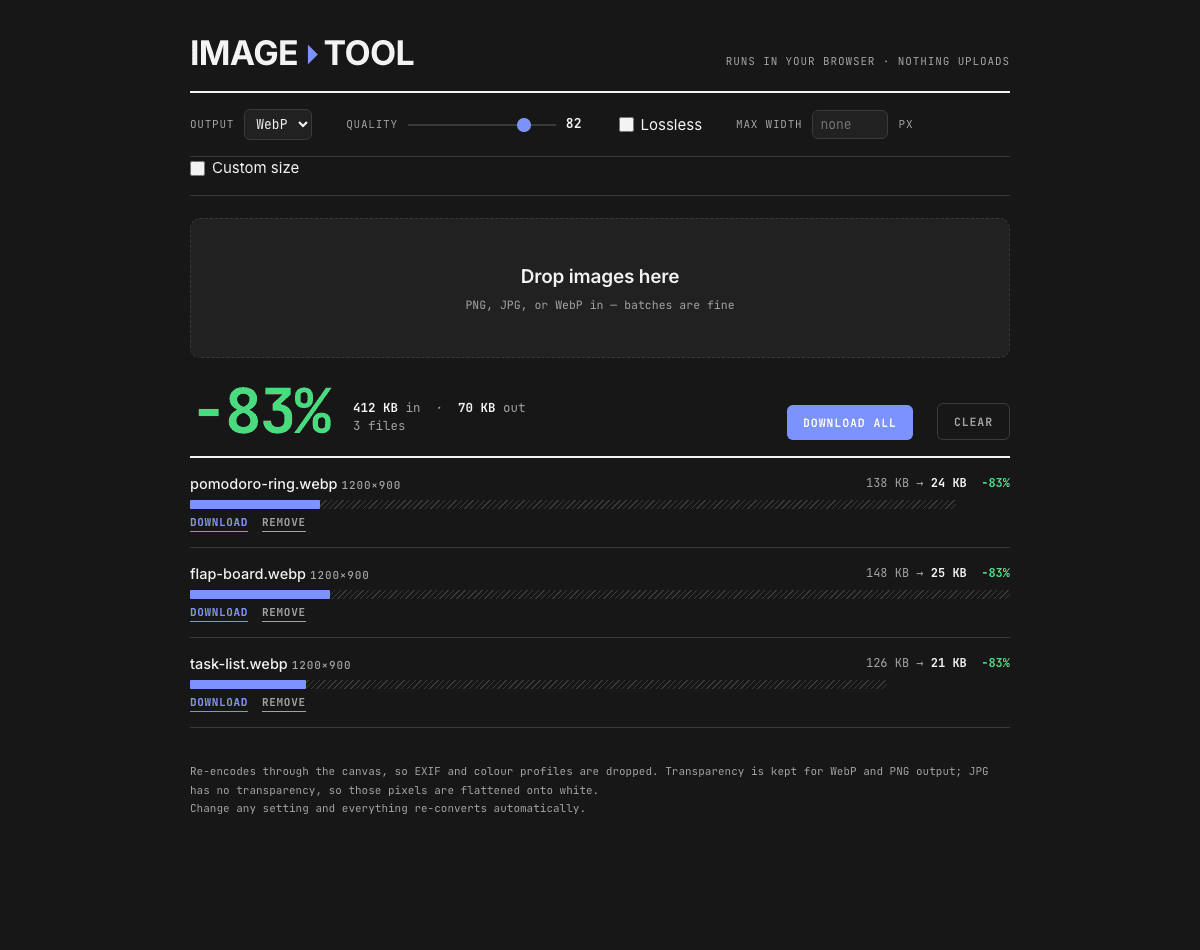
A batch of three PNGs converted to WebP, showing an 83% reduction from 412 KB down to 70 KB.
Image Tool screenshots

Why it exists

Shipping images straight out of a design tool is the easiest way to make a site feel slow, and the usual fixes are worse than the problem: upload your assets to some stranger's server, or install a CLI for a one-off batch.

This does it locally — nothing leaves the browser. Drop a batch, pick an output format, and optionally resize or force an exact pixel size. Each file reports what it saved, and changing any setting re-converts the whole queue automatically, so you can find the point where the size stops falling before the image starts looking wrong.

Built withCanvas

Changelog

    • Output format choice — WebP, JPG, or PNG — any image type in.
    • Renamed from PNG → WebP to Image Tool to match the wider scope.
    • Optional exact width × height, for the rare case a proportional max-width isn't enough.
    • Quality and lossless controls disable themselves for PNG output, since canvas PNG is always lossless.
    • First version, as PNG → WebP — batch convert to WebP with per-file size and savings.
    • Quality slider and lossless toggle; optional max-width cap in the same pass.
    • Changing any setting re-converts the whole queue automatically.
    • Download individually or all at once. Nothing is uploaded anywhere.